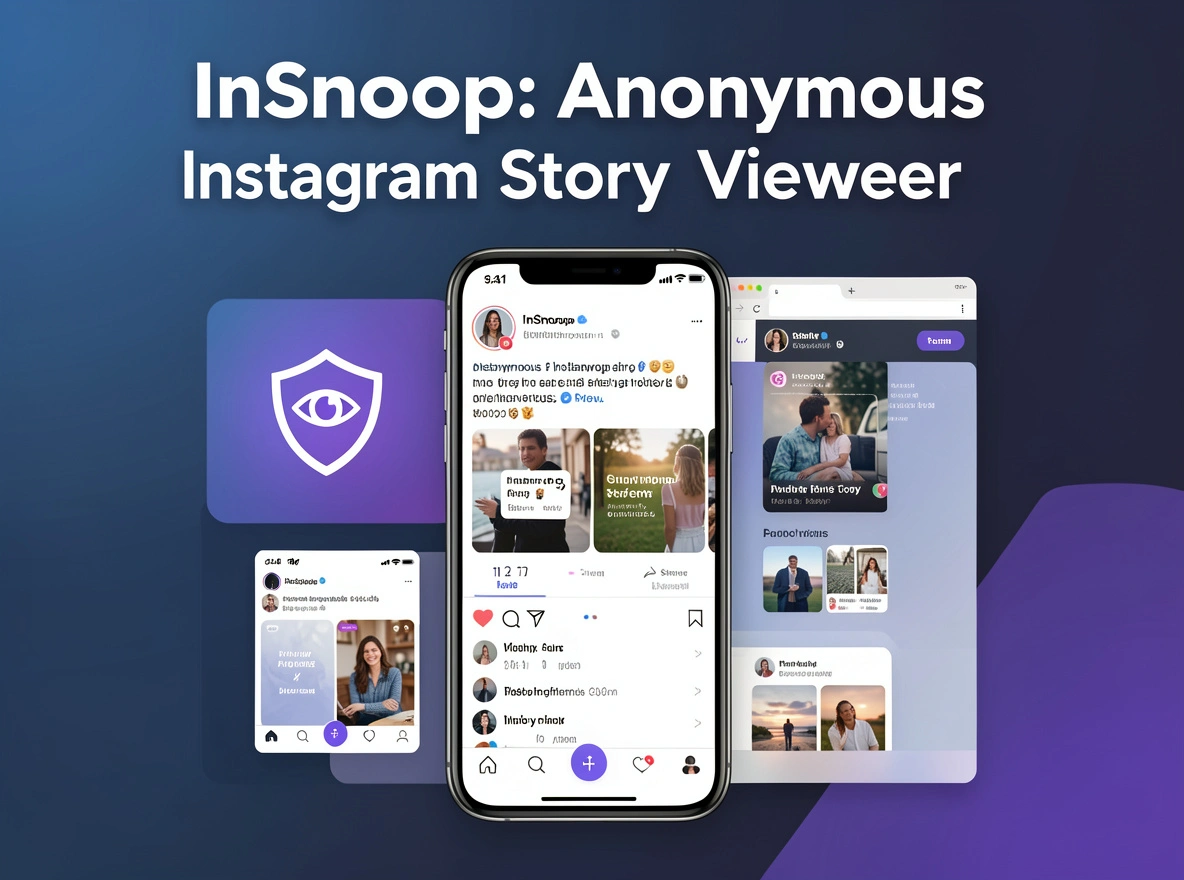
If you have ever wanted to view an Instagram Story without appearing in the viewer list, you may have come across InSnoop.
InSnoop is a browser-based third-party Instagram viewer that is designed to let people browse publicly available Instagram Stories and Highlights without logging into Instagram. It does not require an app installation or an Instagram account.
That sounds simple, but there is more to understand before using a tool like this.
How does InSnoop actually work? Can it view private Instagram accounts? Is anonymous viewing really guaranteed? Can you download Stories? And is it safe to use?
This guide answers those questions and explains the advantages, limitations, privacy concerns, and practical things to know before trying InSnoop.
What Is InSnoop?
InSnoop is a web-based Instagram Story viewer that focuses on anonymous viewing of public Instagram content.
According to its website, users can enter an Instagram username or profile link and view available Stories without signing into Instagram. The service also advertises support for Highlights and downloading photos or videos.
Unlike the official Instagram app, InSnoop is not an Instagram or Meta product. Its website states that it is not affiliated with Instagram.
The basic idea is straightforward:
- Open InSnoop in a browser.
- Enter a public Instagram username.
- Search for the profile.
- View available public Stories or Highlights.
- Download media when the option is available.
No Instagram password or account login is required.
Quick Overview of InSnoop
| Feature | InSnoop |
|---|---|
| Type | Web-based Instagram viewer |
| Instagram login | Not required |
| Installation | Not required |
| Public accounts | Yes |
| Private accounts | No |
| Stories | Yes |
| Highlights | Yes |
| Download option | Available when supported |
| Mobile browser | Yes |
| Cost | Free according to the site |
| Instagram affiliation | No |
The service is therefore aimed mainly at people who want a quick way to look at public Instagram content without opening the official Instagram app.
Why Do People Use InSnoop?
There are several reasons someone might search for an anonymous Instagram viewer.
1. They Want to Browse Privately
Instagram normally connects Story views with the viewer’s account. A third-party viewer such as InSnoop attempts to provide another way to access public Story content without directly using an Instagram account.
This can appeal to people who simply prefer more privacy when browsing.
2. They Do Not Have an Instagram Account
Because InSnoop does not require an Instagram login, someone without an Instagram account may still be able to access certain public content.
This is particularly useful when the information someone wants is publicly available but they do not want to create an Instagram account just to see it.
3. Competitor Research
Businesses and marketers sometimes monitor public Stories to understand:
- Competitor promotions
- Content formats
- Product launches
- Seasonal campaigns
- Posting frequency
- Engagement ideas
- Visual trends
InSnoop’s own website specifically promotes competitor monitoring and content research as potential uses.
4. Viewing Highlights
Instagram Highlights can contain older content that is no longer part of a user’s active 24-hour Story.
InSnoop advertises Highlight support, making it more than a simple current-Story viewer.
How Does InSnoop Work?
The process is designed to be simple.
InSnoop works as a third-party layer between the visitor and publicly accessible Instagram content. Instead of signing into Instagram yourself, you provide the public profile information to the viewer.
A simplified process looks like this:
Public Instagram profile → InSnoop processes available public content → Content appears in InSnoop’s interface
This is also why the service has important limitations.
It cannot legitimately give a third-party website access to information that Instagram has restricted from public viewing.
Is InSnoop an Instagram App?
No.
InSnoop is a separate website and is not operated by Instagram or Meta. The InSnoop website itself states that it is not affiliated with Instagram.
That distinction matters because users should not assume that InSnoop has the same privacy protections, reliability, or policies as Instagram.
How to Use InSnoop
If you decide to test InSnoop, the basic process is straightforward.
Step 1: Find the Instagram Username
Go to the public Instagram profile you want to check and identify its username.
For example:
exampleaccount
You can generally use the username or profile URL, depending on what the site accepts.
Step 2: Open InSnoop
Open the InSnoop website in a browser.
You do not need to install an application.
Step 3: Enter the Username
Paste or type the public Instagram username into the search field.
Double-check the spelling because a small mistake can result in no profile being found.
Step 4: Search
Select the search option and wait for the site to process the request.
If the profile is public and content is available, the site may display Stories or other supported content.
Step 5: View Available Content
If content loads successfully, you can browse the available Stories or Highlights through the website.
The exact content available can change because third-party viewers depend on access to publicly available Instagram data.
Step 6: Download If Available
Some InSnoop versions provide download functionality for supported images and videos. The website says photos may be downloaded as JPEG files and videos as MP4 files.
However, availability can vary, so users should not assume that every Story will always have a working download button.
Can InSnoop View Private Instagram Accounts?
No.
This is one of the most important limitations to understand.
InSnoop states that it only supports public Instagram accounts.
A third-party website should not be able to legitimately bypass Instagram’s privacy settings and reveal content from a private profile.
Be especially careful with websites claiming things such as:
- “View any private account”
- “Unlock private Instagram”
- “See private Stories secretly”
- “Access private DMs”
- “Reveal hidden followers”
These claims are major warning signs.
A service that asks you for an Instagram password in exchange for supposedly unlocking a private profile should also be avoided.
Does InSnoop Really Let You View Stories Anonymously?
This is where users should separate the site’s claim from what can be independently guaranteed.
InSnoop markets itself as an anonymous viewer and says that the account owner will not see the viewer through InSnoop.
However, independent coverage has raised questions about how anonymous third-party viewers really are and how much information these services may process behind the scenes. Recent reviews have also pointed to limited transparency around InSnoop’s ownership and data practices.
Therefore, it is better to think of InSnoop as an anonymous-viewing service that makes that claim, rather than treating anonymity as an absolute guarantee.
That distinction is important for anyone dealing with sensitive information.
Is InSnoop Safe?
There is no simple yes-or-no answer.
One positive point is that InSnoop does not require you to enter your Instagram password. That significantly reduces the risk of handing your Instagram credentials directly to a third-party viewer.
The website also says it uses SSL encryption.
However, technical encryption does not automatically mean that a website has strong privacy practices.
Privacy Is the Bigger Question
When you use a third-party viewer, your request is going through that service.
That means users should consider questions such as:
- What information does the website receive?
- Does it record searched usernames?
- How long is information retained?
- Who operates the website?
- Is there a clear privacy policy?
- Are third-party advertising networks involved?
- What happens to downloaded or cached content?
Recent independent reviews have highlighted limited transparency around InSnoop’s ownership and data handling.
So the safest approach is to use caution and avoid providing unnecessary personal information.
Never Enter Your Instagram Password
This is perhaps the most important practical safety rule.
You should never give an anonymous Instagram viewer your:
- Instagram password
- Two-factor authentication code
- Recovery code
- Email password
- Banking information
- Other sensitive credentials
Meta has also warned users not to provide Instagram credentials to unauthorized websites or services.
If a website says you must log into Instagram before it can show an “anonymous” Story, that defeats one of the main reasons people use these services in the first place.
What Content Can You See on InSnoop?
The core purpose of InSnoop is viewing public Instagram content.
Depending on current availability, this can include:
- Instagram Stories
- Story Highlights
- Profile pictures
- Some posts
- Some Reels
The site’s primary focus remains Stories and Highlights. Independent testing has also reported that posts, Reels, and profile pictures may appear in some circumstances.
However, availability is not guaranteed.
Instagram can change how its public content is delivered, which can affect third-party viewers.
Can You Download Instagram Stories With InSnoop?
Yes, InSnoop advertises a download feature for supported content.
The site says users can download photos and videos, with JPEG used for images and MP4 for videos.
But downloading does not automatically give you ownership of the content.
If another person created the image, video, artwork, or other material, they may retain copyright or other rights over it.
Can You Repost Downloaded Content?
Not automatically.
Downloading a public Story for personal reference is different from republishing it on your own website, social media account, advertisement, or commercial project.
If you want to reuse someone else’s content publicly, get the appropriate permission or make sure you have a valid legal basis for using it.
InSnoop itself warns that downloaded content belongs to its respective owner.
InSnoop and Instagram’s Rules
Another issue often overlooked in articles about anonymous viewers is the relationship between third-party scraping and Instagram’s terms.
Meta explains that scraping means automated collection of information from a website or app. It distinguishes authorized scraping from unauthorized scraping that violates its terms.
Instagram’s terms also restrict attempts to access or collect information through unauthorized automated methods.
This does not mean that simply visiting a public webpage automatically makes a user a lawbreaker.
Instead, it means users should understand that third-party services operating around Instagram can exist in a complicated technical and terms-of-service environment.
For ordinary users, the practical lesson is simple: do not assume that a third-party viewer is officially approved by Instagram just because it can display Instagram content.
InSnoop vs. Viewing Instagram Directly
The biggest difference is how the content is accessed.
| Feature | InSnoop | |
|---|---|---|
| Instagram login | Not required | Usually required for Story viewing |
| Anonymous Story viewing | Advertised | No standard anonymous mode |
| Private profiles | No | Yes, with appropriate access |
| Official Instagram service | No | Yes |
| App installation | No | App available |
| Story interaction | Limited | Full |
| Likes/comments/DMs | No | Yes |
| Account personalization | Limited | Full |
| Reliability | Can vary | Generally more consistent |
Instagram remains the better choice if you need normal interaction, messaging, posting, or access to your own account.
InSnoop is mainly useful for its specific viewing purpose.
InSnoop vs. Other Anonymous Instagram Viewers
InSnoop is not the only service in this category.
There are numerous Instagram viewers that promise similar features, including anonymous Story viewing and downloads.
The important thing is not simply finding the tool with the longest feature list.
Instead, compare:
- Whether login is required
- Whether private accounts are excluded
- Privacy policy transparency
- Website reputation
- Advertising behavior
- Download reliability
- Server stability
- Contact information
- Whether the site makes unrealistic claims
A service promising access to private profiles should generally be treated as a warning sign rather than an advantage.
Common InSnoop Problems and How to Fix Them
Third-party Instagram viewers can stop working or fail to load content.
Here are some common situations.
InSnoop Is Not Loading
Possible reasons include:
- Temporary server problems
- Instagram changes
- High traffic
- Browser issues
- Network restrictions
- The profile no longer being public
Try refreshing the page or checking again later.
No Story Appears
The account may:
- Have no active Story
- Have a private profile
- Have changed its username
- Have content that the viewer cannot currently retrieve
Remember that an Instagram Story normally disappears after its active period unless it has been saved as a Highlight.
The Download Button Does Not Work
Download functionality can depend on whether the content successfully loads.
If the Story itself does not load correctly, downloading may fail as well.
Try refreshing the page or using another browser.
A Username Cannot Be Found
Check that:
- The username is spelled correctly.
- The account still exists.
- The account is public.
- You are using the correct profile.
- The account has not recently changed its username.
Is InSnoop Free?
InSnoop’s website describes the service as free and says that no membership is required.
That makes it appealing to casual users who do not want to register for another service.
However, “free” does not necessarily mean there is no business model behind a website.
Free web services may use advertising or other forms of monetization. Users should therefore pay attention to pop-ups, redirects, and suspicious download buttons.
Advantages of InSnoop
There are several reasons people may find InSnoop useful.
No Instagram Login
You do not need to provide your Instagram password or create an Instagram account to use its advertised viewing function.
Browser-Based
There is no separate application to install.
You can use a compatible browser on a computer, tablet, or smartphone.
Public Story Viewing
The tool focuses on publicly available Instagram Stories and Highlights.
Simple Interface
The basic process involves finding a profile, entering the username, and viewing available content.
Download Support
When supported, users can save available photos and videos to their devices.
Limitations of InSnoop
InSnoop also has several important limitations.
It Cannot Legitimately View Private Profiles
Private Instagram content remains outside the intended scope of the service.
Reliability Can Change
Because the service depends on third-party access to Instagram content, it may stop working when Instagram changes its systems.
Limited Transparency
Independent reviews have raised concerns about the lack of clear information about ownership and data handling.
Anonymity Should Not Be Treated as Absolute
The service claims anonymous viewing, but independent reports have questioned how confidently users should interpret those claims.
Downloading Does Not Equal Ownership
Saved content can still belong to the original creator.
Who Should Use InSnoop?
InSnoop may be useful for people who want to:
- Check public Stories without creating an Instagram account
- Research public competitor content
- Observe public social media trends
- Browse public Highlights
- Quickly review public Instagram content
- Save supported public media for personal reference
It is less suitable for anyone who needs:
- Private Instagram access
- Full Instagram interaction
- Guaranteed long-term reliability
- Official Instagram support
- Advanced analytics
- A highly transparent enterprise-grade data solution
How to Use InSnoop More Safely
If you decide to use the service, a few habits can reduce unnecessary risk.
1. Never Give It Your Instagram Password
An anonymous viewer should not need your password.
2. Check the Domain Carefully
Copycat and clone websites can look almost identical to legitimate services.
Meta has previously taken action against Instagram clone sites and warns users about services that request credentials.
3. Avoid Suspicious Pop-Ups
Do not click advertisements pretending to be download buttons.
4. Do Not Install Unknown Extensions
A Story viewer should not require you to install random browser extensions to perform a basic search.
5. Respect Copyright
Do not assume that downloading public content gives you permission to republish or commercially use it.
6. Avoid Sensitive Searches
If privacy is important to you, remember that using a third-party website means you are trusting that service with information about your browsing request.
Frequently Asked Questions
What is InSnoop?
InSnoop is a third-party web-based Instagram viewer designed to let users view public Stories and Highlights without logging into Instagram.
Does InSnoop require an Instagram account?
No. InSnoop advertises its service as usable without an Instagram account or login.
Can InSnoop view private Instagram accounts?
No. It is designed for public Instagram accounts. Claims that a third-party viewer can legitimately unlock private accounts should be treated with caution.
Can someone see that I used InSnoop to view their Story?
InSnoop claims that its viewing process keeps users out of the normal Instagram Story viewer list. However, third-party anonymity should not be treated as an absolute guarantee because the service itself is independent of Instagram and its data practices have limited transparency.
Is InSnoop free?
Yes. The service currently presents itself as free and says that registration is not required.
Can I download Instagram Stories through InSnoop?
InSnoop advertises downloads for supported photos and videos. Availability can vary depending on whether the content loads correctly.
Does InSnoop have an app?
The main service is browser-based, so you do not need to install a dedicated app to use its advertised viewer.
Is InSnoop affiliated with Instagram?
No. InSnoop states that it is not affiliated with Instagram or Meta.
Is InSnoop completely safe?
It should not be described as completely risk-free. Not requiring Instagram credentials is a positive sign, but independent reviews have raised questions about privacy, transparency, reliability, and the wider risks of third-party Instagram viewers.
Can I use downloaded Stories commercially?
Not automatically. The original creator may own copyright or other rights in the content. Obtain permission or confirm that you have a valid legal basis before republishing or commercially using someone else’s content.
Final Verdict: Is InSnoop Worth Using?
InSnoop can be useful if your main goal is to view public Instagram Stories or Highlights without logging into Instagram. Its biggest advantages are its browser-based design, lack of required login, and focus on anonymous public-content viewing.
But it is important to keep expectations realistic.
InSnoop cannot legitimately unlock private profiles. Its reliability may change, its anonymity claims should not be treated as an unconditional guarantee, and independent reviews have raised concerns about transparency and data handling.
The safest approach is to use it only for ordinary public-content viewing, never provide your Instagram password, avoid suspicious pop-ups and clone websites, and respect the rights of the people who created the content.
For casual public Story research, InSnoop may be convenient. For anything involving sensitive information, account security, or professional data collection, a more transparent and officially supported solution is the better choice.